What Is Hotel Business Intelligence Software?
Picture a GM at a 40-room hotel on Monday morning, flipping between the PMS, an OTA extranet, and a messy spreadsheet. Hotel business intelligence software replaces that tab shuffle with one screen.
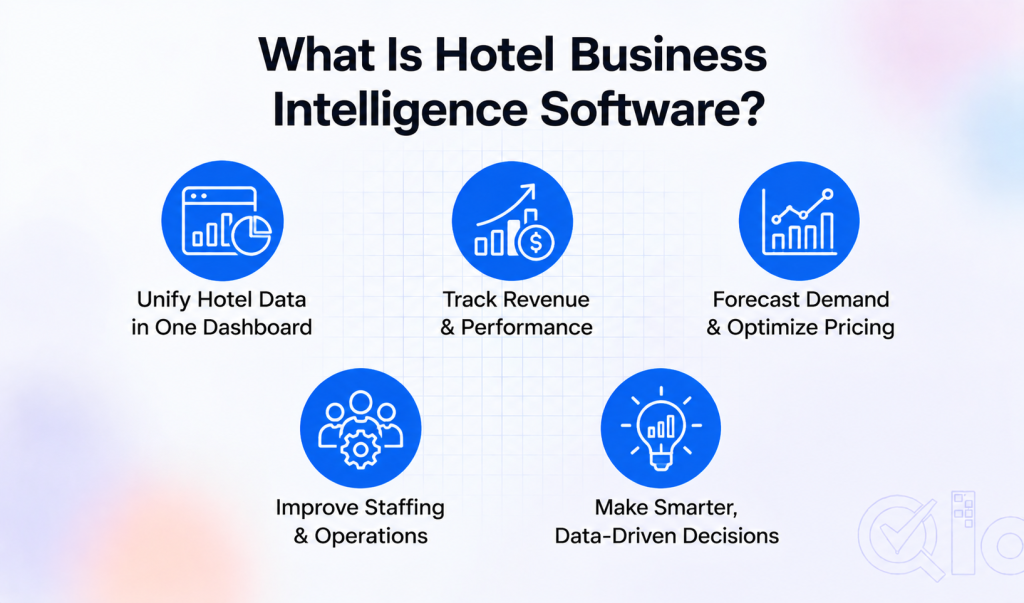
In plain terms, hotel business intelligence collects data from your booking, payment, and guest systems and shows it as live charts. You hunt for numbers less and ask what they mean more.
Here’s what it does, how it differs from a normal report, and what to check before you buy. We’ll also look at cheap ways to start.
What It Actually Does
Most hotels are sitting on a pile of data. Reservations live in the PMS, rates in the channel manager, and restaurant sales in the POS.
Hotel business intelligence software pulls those feeds together and lines them up by date. Occupancy, ADR, and costs end up side by side, so you can see why a packed weekend still lost money.
It also catches things people skim past. Maybe direct bookings fell 12% in March, or one OTA keeps sending cancellations. A good dashboard flags both within minutes.

How It Differs From a Regular Report
A monthly report tells you what happened. By the time you read it, the month is over and nothing can be fixed.
Hotel business intelligence looks ahead instead. It reads past booking patterns to estimate next month’s demand, so you can change rates or shifts before a slow stretch arrives.
That’s the same idea behind hotel demand forecasting. Occupancy is just one use, and revenue trends follow the same method.
Features Worth Checking
Live dashboards come first. If the numbers are three days old, they won’t help on a busy Friday.
Many PMS platforms already include one, and a property management system with a built-in dashboard is a fair place to begin.
Next, ask where the data comes from. A tool that can’t read your channel manager, POS, and booking engine together will leave gaps you’ll notice later.
Automated reports matter, since nobody enjoys rebuilding a sheet weekly. Check which hotel revenue reports makes difference.
Forecasting is the last piece. Even a basic prediction feature beats a tool that only shows last month, and it’s where hotel business intelligence earns its price.
How Teams Use It Day to Day
Revenue managers use it to catch pricing chances early. If searches for your city jump before a local event, you can raise rates that afternoon instead of next week.
Think of a wedding season weekend in Udaipur, or a cricket match in Mumbai. Hotel business intelligence shows demand building days ahead, while the cheap rooms are still unsold.
Marketing teams check which channels bring bookings. Google Analytics for hotel marketing covers the traffic side.
Front office and housekeeping managers plan shifts around expected arrivals. That means fewer idle staff on slow days, and fewer panicked phone calls on busy ones.
Starting Without a Big Budget
Enterprise platforms can run into thousands per month, and a 20-room property doesn’t need that. Smaller hotels can begin with simple tools and grow into more.
A free spreadsheet with weekly occupancy, ADR, and channel mix is a real start. It teaches your team to ask better questions before any software gets bought.
An add-on like Google Analytics for hotel websites shows how guests behave on your booking page. It costs far less than a full platform.
For what else belongs in your stack, see these digital tools for hotels. Add pieces as budget allows.
Common Mistakes
The first is buying a tool before asking a question. Decide what you want to fix, like no-shows or a weak direct booking share, and then pick software.
Training is the second. A dashboard nobody understands is just an expensive wallpaper, so give your team an hour to learn what each chart means.
The third is treating it as a one-time setup. Hotel business intelligence only pays off when people check it weekly and act on what they see.
Who Should Bother
Independent owners often assume this is for big chains. It isn’t, and small teams arguably gain more because every hour counts.
One person wearing three hats gets a single screen instead of five logins. Hotel business intelligence software hands back time that a lean team rarely has.
Groups with several properties can compare locations side by side. That makes it easy to spot which hotel needs attention first, before a small problem grows.
Conclusion
Hotel business intelligence software shows you where the property stands right now and where it’s likely heading. That’s a better position than reading last month’s report and guessing.
You don’t need an expensive platform to begin. Start small, check the numbers weekly, and let them guide your pricing, staffing, and marketing.
Get In Touch
Looking to make smarter, data-driven decisions for your hotel?
Get in touch with the QloApps team to explore solutions that help you manage bookings, monitor hotel operations, and improve visibility into your property’s performance.
If you have any suggestions, you can share them on the QloApps forum. For any technical assistance, kindly raise a ticket.