
The hotel industry is changing quickly. Today, guests want comfort and speed during their stay. Because of this, many hotels now switch to smart hotel rooms.
A smart hotel room use internet and devices to control room features automatically. Guests can manage lights, temperature, TVs, and curtains by using just a phone or voice command.
As a result, hotels can improve guest experience and save energy at the same time.
What Is a Smart Hotel Room?
A smart hotel room is a room with automated devices and IoT technology. These devices connect through the internet and help control room settings easily.
For example, guests can:
- Turn lights on or off with voice commands
- Change room temperature
- Unlock doors with smartphones
In addition, hoteliers can track energy usage and room status in real time. Therefore, smart rooms benefit both hotels and guests.
Main Features of Smart Hotel Rooms
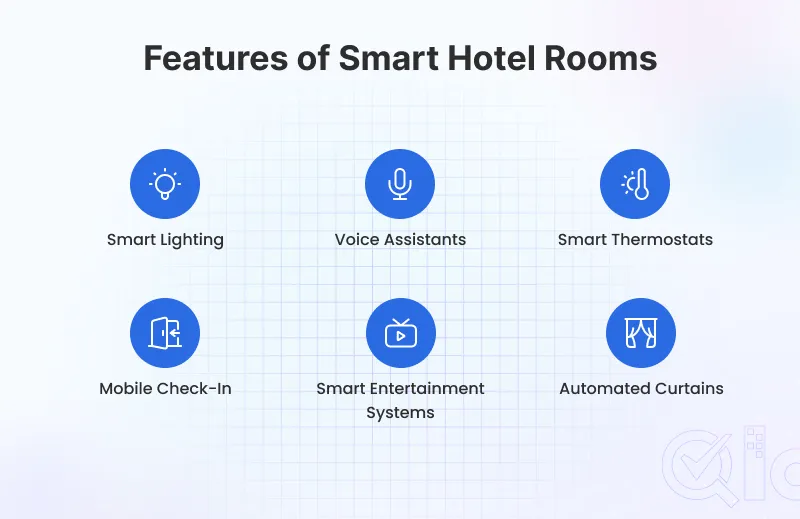
Smart Lighting
Guests can control room lights through mobile apps, touch panels, or voice commands. Moreover, some systems adjust brightness automatically during the day or night using sensors.
For instance, lights may become dim at bedtime to create a relaxing mood.
Voice-Controlled Assistants
Many hotels now use hotel voice assistants like Alexa and Google Assistant. Guests can ask these devices to:
- Play music
- Request housekeeping
- Control room settings
Because of this, guests enjoy a smoother and more convenient stay.
Smart Thermostats
Smart thermostats control room temperature automatically. They can detect room occupancy and adjust settings to save energy.
At the same time, guests stay comfortable because they don’t need to adjust the temperature every time.
Mobile Check-In and Digital Keys
Modern hotels often allow mobile check-in. Guests can skip long lines and unlock rooms using digital keys on their phones.
As a result, the check-in process becomes faster and easier.
Smart Entertainment Systems
Most hotel rooms include smart TVs and streaming services. Guests can watch Netflix, YouTube, or connect personal devices easily.
Therefore, entertainment becomes more flexible and enjoyable.
Automated Curtains
Some hotels also provide automated curtains and queueless mobile check-ins. Guests can control them through apps or voice commands.
In some rooms, curtains open automatically in the morning. This creates a more modern experience.
Examples of Smart Hotel Rooms
Hilton Hotels
Hilton Hotels & Resorts offers connected rooms where guests can control lights, temperature, and entertainment using a mobile app.
As a result, guests get a more personalized stay.
Marriott International
Marriott International uses smart technology in hotels. Guests can manage room settings digitally and access services quickly.
Additionally, some of its properties also include voice-controlled features.
YOTEL Hotels
YOTEL focuses on automation and smart hospitality. Its rooms include smart beds, automated controls, and self-service kiosks.
Because of this, YOTEL offers a futuristic hotel experience.
Benefits of Smart Hotel Rooms
Better Guest Experience
Smart rooms make hotel stays easier and more comfortable. Guests enjoy faster service, personalized settings, and better convenience.
As a result, hotels often receive better customer reviews.
Energy Savings
Automated systems help reduce electricity usage. For example, lights and AC ‘s switch off automatically when guests leave the room.
Improved Hotel Operations
Hotel automation reduces manual work. Hotel staff can manage maintenance, room status, and guest requests digitally.
Because of this, operations become faster and more efficient.
Contactless Services
Today, many travelers prefer contactless services. Smart hotel rooms support mobile check-in, digital room keys, and voice-based controls.
Challenges of Smart Hotel Rooms
One major challenge is the setup cost. Hotels must invest in devices, software, internet systems, and maintenance.
Another issue is data privacy. Since smart systems collect guest information, hotels must protect data carefully.
Technical problems can also happen if devices or internet connections fail. Therefore, regular maintenance is very important.
How to Set Up Smart Hotel Rooms
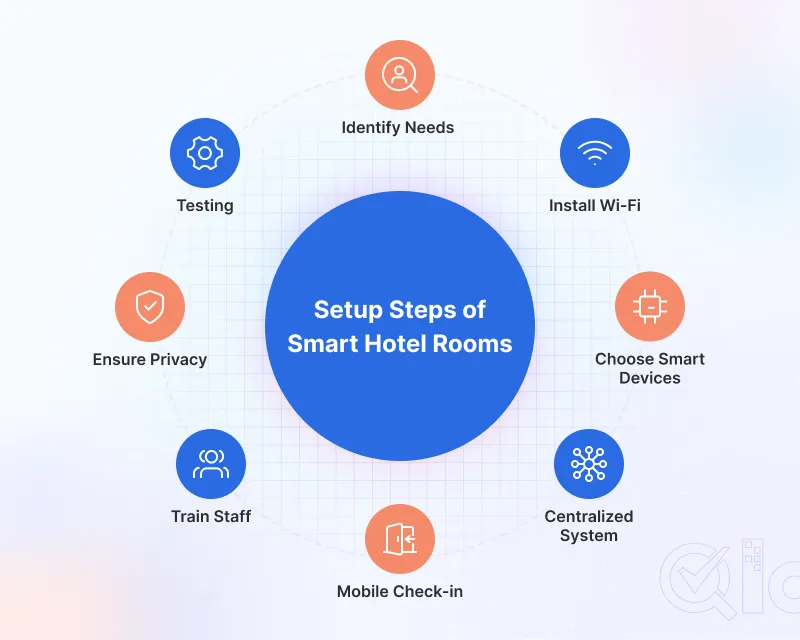
1. Identify Hotel Needs
First, decide what your hotel needs most. Focus on goals like:
- Better guest comfort
- Faster service
- Energy savings
Also, set a proper budget before starting.
2. Install Strong Wi-Fi
Smart devices need stable internet connections. Therefore, hotels should provide secure and high-speed Wi-Fi in all areas to be connected.
3. Choose Smart Devices
Hotels can install smart locks, lights, TVs and automated curtains. Voice assistants can also be installed to control devices through voice.
In addition, all devices should work together smoothly.
4. Use a Centralized System
A centralized system helps staff manage all smart devices from a single platform. This makes monitoring and maintenance easier.
5. Enable Mobile Check-In
Hotels should provide digital room keys for mobile check-in. As a result, guests can enter rooms quickly without waiting at reception.
6. Train Hotel Staff
Employees should understand how smart systems work. They must know how to help guests with basic technical problems.
7. Protect Guest Data
Cybersecurity is very important. Hotels should use secure networks, strong passwords, and regular software updates.
Because of this, guest information stays protected.
8. Test Everything
Before launching smart rooms, hotels should test all systems carefully. They must check internet connectivity and room controls.
9. Collect Guest Feedback
Finally, hotels should ask guests for feedback. This helps improve services and smart room features over time.
Future of Smart Hotel Rooms
Smart hotel technology trends will continue to grow in the future. Hotels may use AI, facial recognition, robotic room service, and advanced energy systems.
As technology improves, hotel stays will become even smarter and more personalized.
Conclusion
Smart hotel rooms make hotel stays easier, faster, and more comfortable. They also help hotels save energy and improve service quality.
Although setup costs can be high, smart technology offers long-term benefits. Because of this, many hotels are investing in smart solutions to stay competitive in the modern hospitality industry.
Get in Touch
Looking to upgrade your property with smart hotel rooms and modern hospitality technology? With QloApps, you can manage hotel operations, and simplify daily tasks using a single platform.
Have questions or ideas about smart hotel technology? Join the QloApps Forum and connect with the community.
Need technical assistance or setup support? Simply raise a Support Ticket, and the team will help you get started.

Be the first to comment.