
Most travelers never open a hotel’s own website first. They start on Booking.com, Expedia, or Agoda and book straight from the results.
If your property is missing or shows wrong rates, that guest simply books the next hotel. Good OTA onboarding prevents exactly that problem.
Getting listed is easy, but keeping a listing accurate is where hotels struggle. This guide covers how OTA onboarding works and where it usually goes wrong.
What OTA Onboarding Actually Means
OTA onboarding means registering your hotel on booking platforms and setting up what guests see and book. That covers property details, room types, rates, availability, and policies.
A weak setup shows up later as overbookings and rate mismatches. Those problems tend to arrive at the worst moment, like a sold-out weekend.
Why It Matters for Your Property
OTAs put your hotel in front of travelers who would never find your own website. Each platform also draws a different crowd, from international leisure guests to budget bookers.
Reach also helps during slow weeks when direct traffic alone can’t fill your rooms.
Picking channels that fit your property brings better-matched guests. A channel manager then syncs rates so nobody retypes numbers.
Consistency matters too, since photos, room details, and prices must match across platforms. When they don’t, guests complain at check-in.
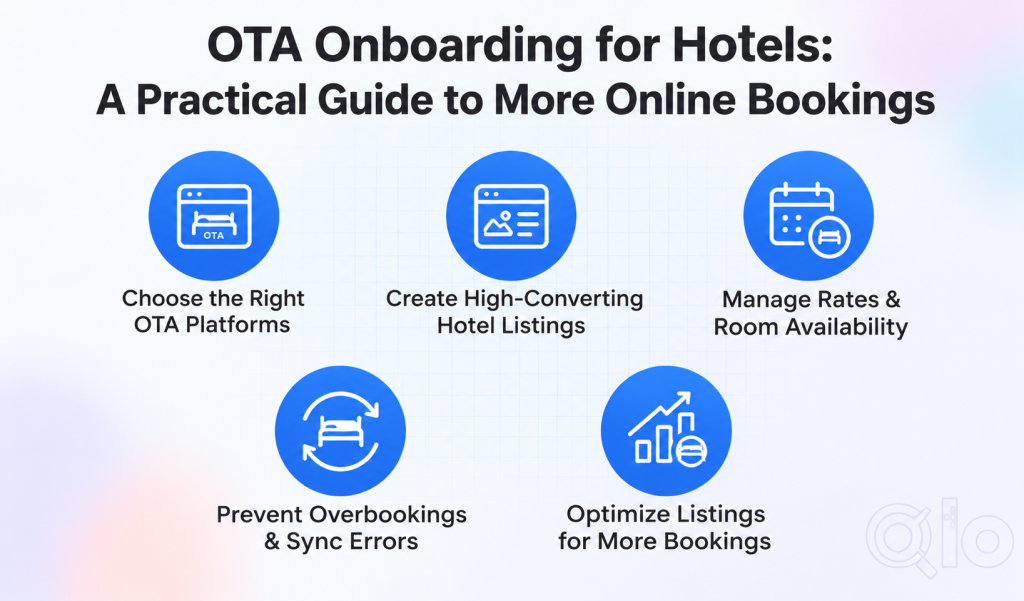
How the OTA Onboarding Process Works
Start by choosing channels based on location and budget. Compare fees in this OTA commission rates guide.
Build a complete listing with accurate descriptions, sharp photos, amenities, and policies. Lead with your strongest images, since those show first in search results.
Read every field twice, because a wrong bed type or missing breakfast note causes disputes. Small errors here are the cheapest ones to fix.
Policies deserve attention as well, because cancellation terms affect both conversion and guest satisfaction. Flexible rates attract more clicks, while strict ones protect revenue on peak dates.
Then set up room categories, occupancy limits, pricing, and restrictions like minimum stay. Check them regularly so the OTA always matches what you can actually sell.
After that, link your PMS and channel manager so inventory lives in one place. Depending on the integration, changes can flow to OTAs automatically.
Once your OTA onboarding is complete, watch bookings, pricing, reviews, and each platform’s performance data. The first few weeks usually reveal what needs adjusting.
A Pre-Launch Checklist
Before going live, confirm that every room type maps correctly to its OTA counterpart. Mismatched room names are a quiet source of wrong bookings.
Verify tax settings, payment terms, and child or extra bed rules as well. These details decide whether guests see accurate totals at checkout.
Finally, place a test booking if the platform allows it, and watch it arrive in your system. Catching a broken connection now beats discovering it during a full house.
Common Problems and What Helps
Setup feels complicated because every OTA asks for different documents and settings. A written checklist for each platform removes most of that confusion.
Inventory mismatches happen when a room sells twice or shows sold out. Read how channel managers cut OTA costs.
Pricing pressure appears when competitors undercut you on peak dates. Review their rates and local demand on a fixed schedule instead of reacting.
Review backlogs build up when front desk staff juggle OTA tasks and guests. Prompt replies and tracking repeated complaints keep this manageable.
Habits That Help Listings Convert
Refresh photos and amenities whenever something changes, since clear content helps guests decide faster. Price with context by weighing demand, seasonality, and competitor rates together.
Check sync status daily, because one quick look prevents most overbooking headaches. Reply to reviews politely and specifically, since future guests read those replies.
Search for your own hotel on a phone, exactly as a guest would. Then compare bookings, revenue, and cancellations by channel every month.
Keep a simple log of every change you make to rates or content. When bookings suddenly drop, that record shows what changed and when.
Be patient with brand-new listings, since they often need a few reviews before they perform well.
Being listed never guarantees bookings, so also plan to reduce OTA dependency over time.
Beyond the Big OTAs
Google Hotels can sit beside your OTA listings as another demand source. This Google Hotel setup guide shows the connection.
A property management system holds your single source of truth for rooms and rates. Without one, every channel update becomes manual.
Getting Hands-On Help With OTA Onboarding
Running OTA accounts well takes steady attention, and many teams lack spare hours for it.
The QloApps OTA Onboarding and Management Service covers setup, channel manager configuration, sync checks, daily updates, and pricing support.
Some things sit outside the service, including custom development, OTA fees, commissions, and on-site visits. You’ll also need to share the OTA account credentials required.
Support runs Monday to Friday, 9:30 AM to 8:30 PM IST, in English. Request a quotation from the QloApps team for exact scope and costs.
Final Thoughts
OTA onboarding gives your hotel a presence where travelers already search. Turning it into steady bookings takes accurate listings, careful inventory control, and sensible pricing.
If you’d rather not handle all of that alone, the QloApps team can take on setup and daily upkeep. That leaves your staff free to focus on guests.
Get In Touch
Looking to simplify OTA onboarding and manage your hotel’s online distribution more efficiently?
Get in touch with the QloApps team to explore our OTA Onboarding and Management Service. We’ll help you manage room inventory, rates, bookings, and connected channels from one platform.
If you have any suggestions, you can share them on the QloApps forum. For any technical assistance, kindly raise a ticket.

Be the first to comment.