QloApps Worldpay Payment Gateway
QloApps Worldpay Payment Gateway is an add-on for QloApps that enables you to accept secure online payments through the Worldpay Payment Gateway.
The Worldpay payment gateway lets you accept secure credit and debit card payments directly on your website using your Worldpay merchant account for a smooth checkout experience.
Worldpay offers a fast, seamless, and globally trusted payment solution that boosts customer confidence, improves booking conversions, and simplifies secure payment management for hoteliers.
Key Features of QloApps Worldpay Payment Gateway:
- Supports major credit and debit cards, including Visa, Mastercard, American Express, and Discover.
- Provides a smooth and reliable checkout experience, reducing payment friction for customers.
- It provides the feature of a one-click payment option.
- Supports multiple currencies, allowing international customers to make payments in supported currencies.
- Easy to configure by the admin through the back end.
- Admin can view and track all transactions processed via Worldpay from the QloApps admin panel.
- Supports full and partial refunds directly from the admin panel, based on business requirements.
- Allows the admin to specify refund amounts (up to the total paid amount) for partial refunds.
How to install QloApps Worldpay payment gateway:
The installation of any module is very simple in QloApps.
- Go to the Module and Services tab
- Click on Add New Module

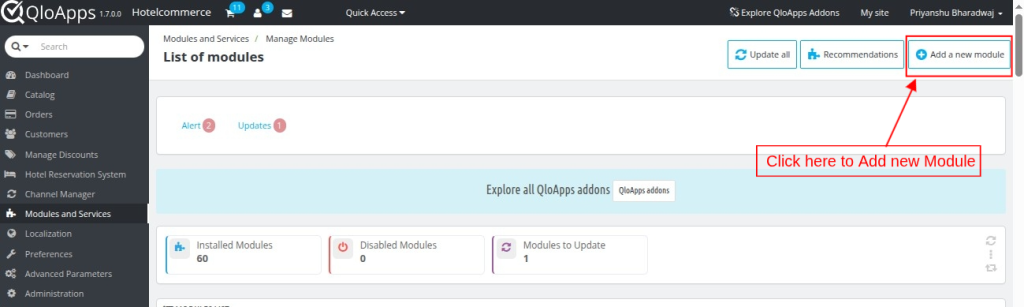

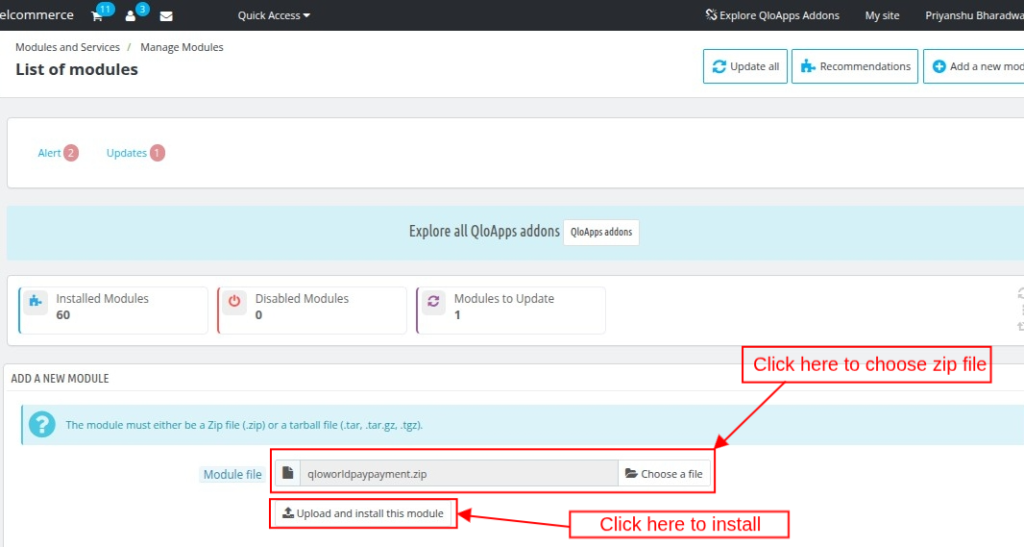
- Now upload the Zip file of the Module and click on Install
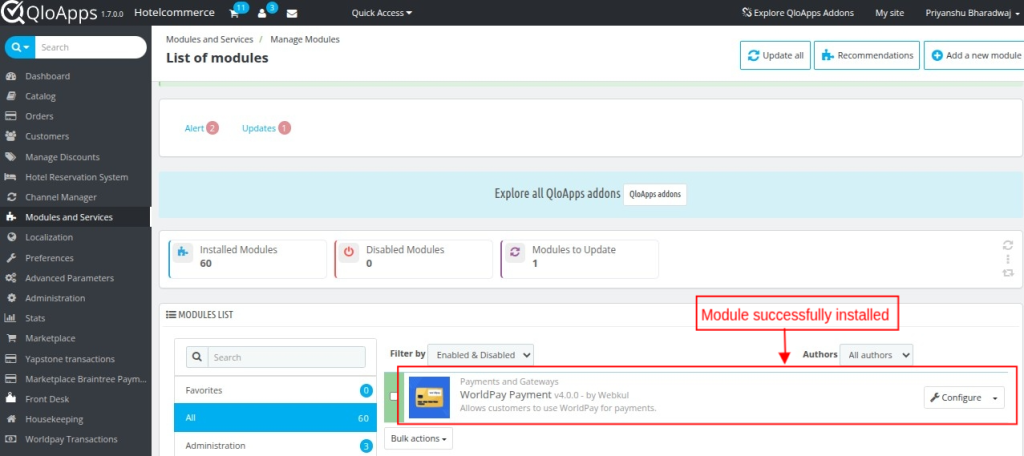
- Once the installation is finished, it will confirm that it was successful, followed by a display of the installed module below.

Configuring QloApps Worldpay payment gateway:
Once installed, you can configure the QloApps Worldpay Payment Gateway by following these steps:
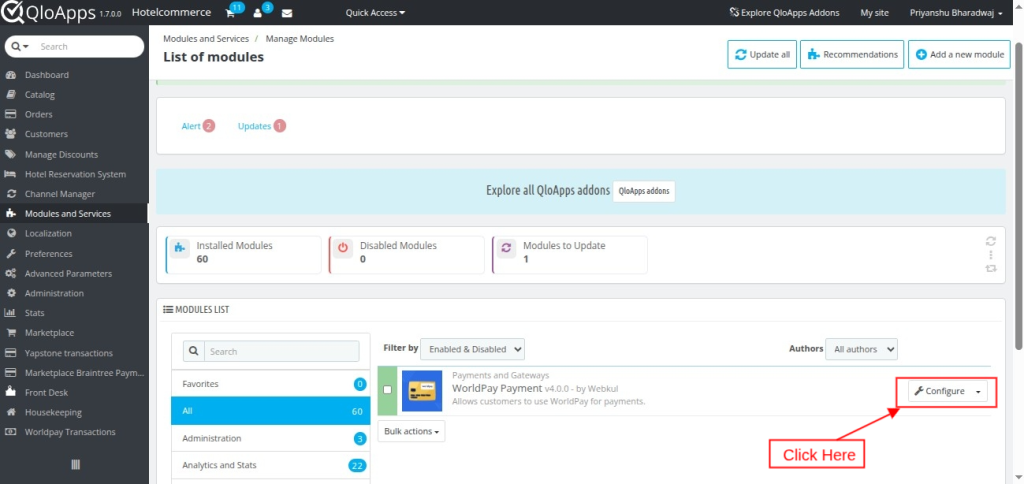
- Click on the “Configure” button to access the configuration page.


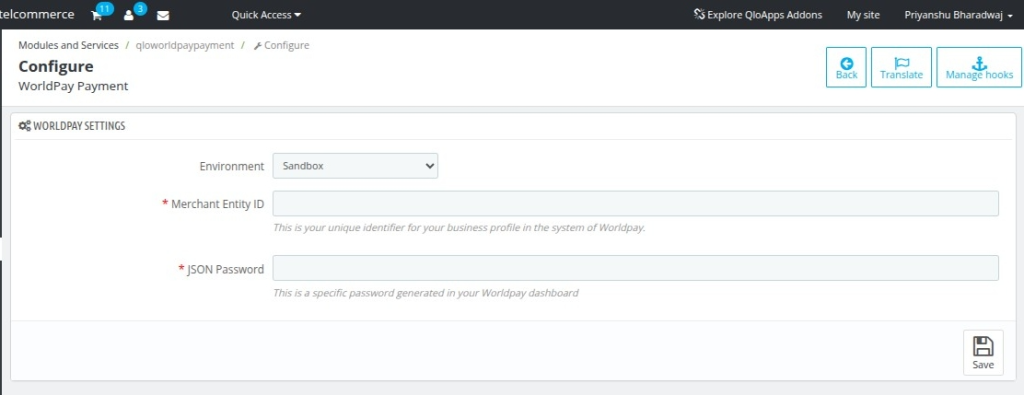
- Environment: Switches between production and sandbox modes for testing and production purposes. Production mode is for actual transactions, while sandbox mode is for testing and development.
- Merchant Entity ID: Enter your Merchant Entity ID, which is the unique identifier assigned to your business profile within the Worldpay system.
- JSON Password: Enter the JSON password generated in your Worldpay merchant dashboard.
How to Easily Obtain Your Credentials for QloApps Worldpay payment gateway:
To use the Worldpay payment gateway, you must first contact Worldpay to create your merchant account.
Once your account is activated, you can log in to the Worldpay Merchant Dashboard and obtain the required credentials.

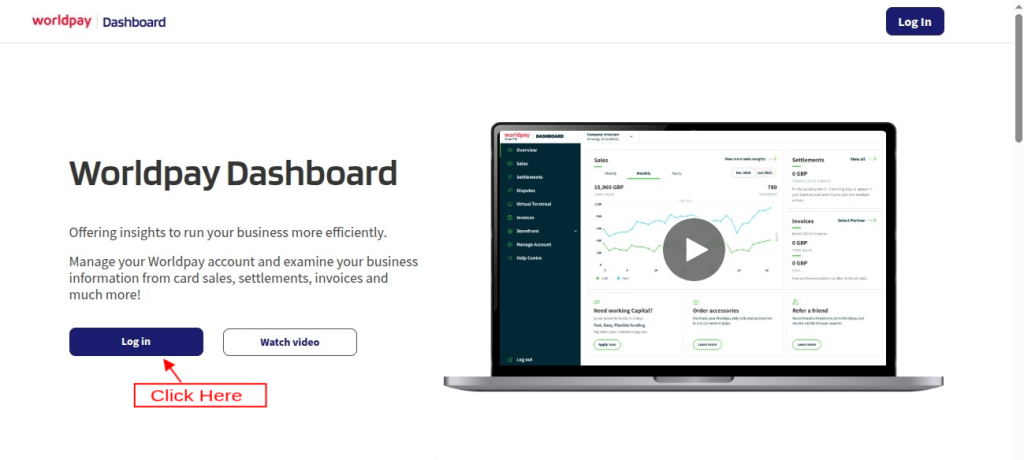
After accessing the Merchant Entity ID and JSON password.
Go to the configuration page in the back office.

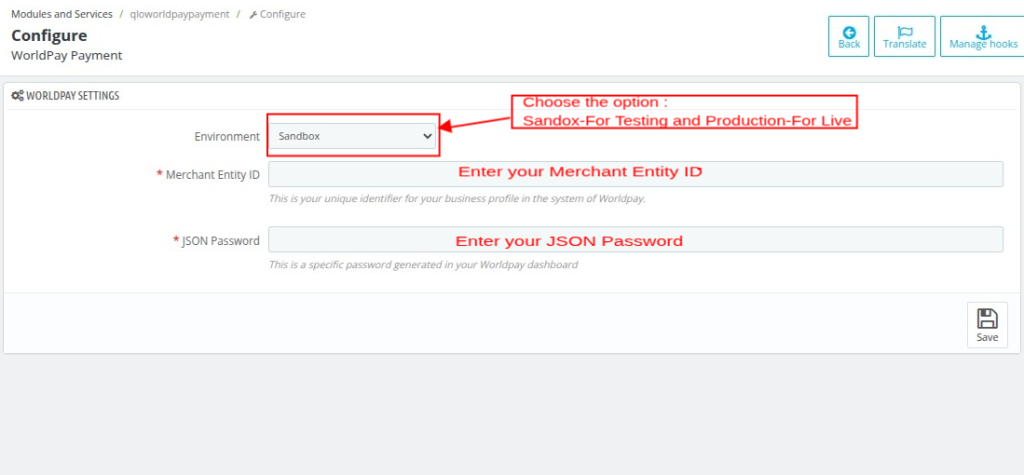
Frontend Workflow:
On the front end, the user will find the option to pay with the Worldpay Payment Gateway at the checkout page.

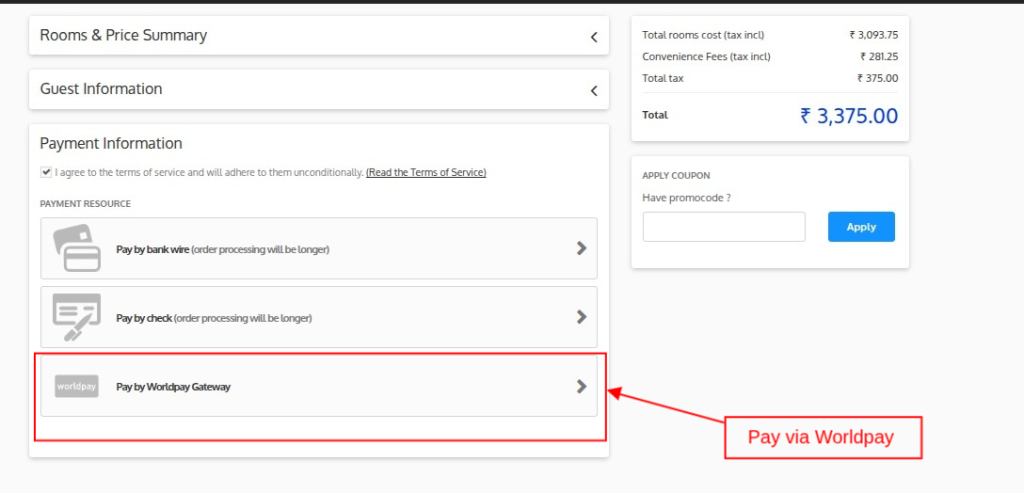
Once the user clicks on the Worldpay payment method, they will be redirected to the payment page.
Where they can complete their payment from a card or any alternate payment method supported.
Order Confirmation Page:
After the successful payment for the order, the order will be confirmed.
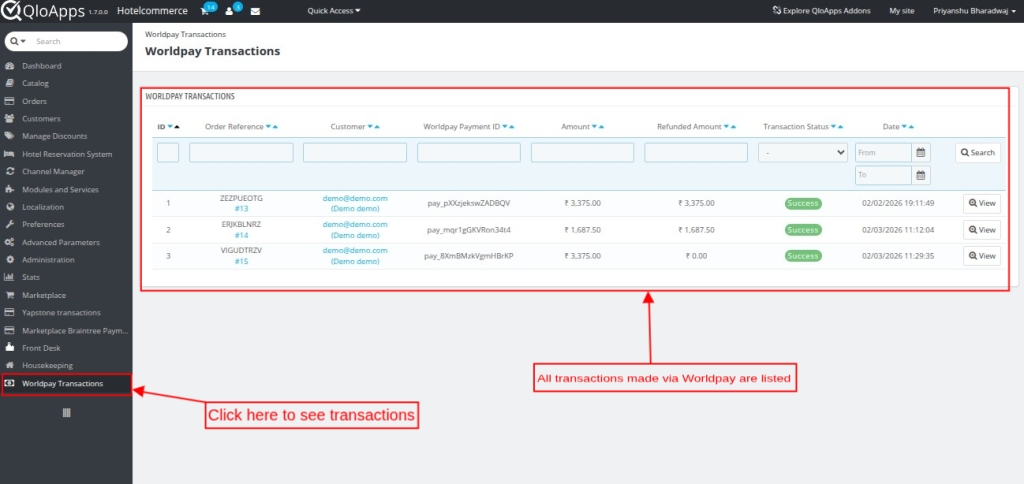
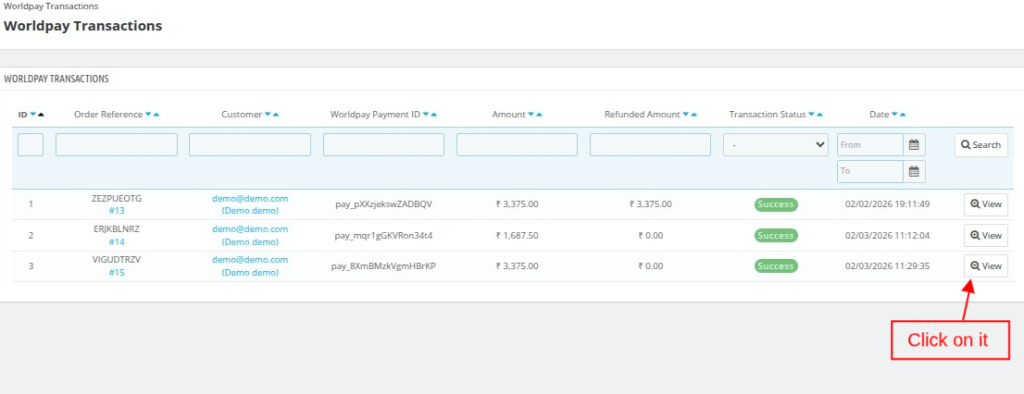
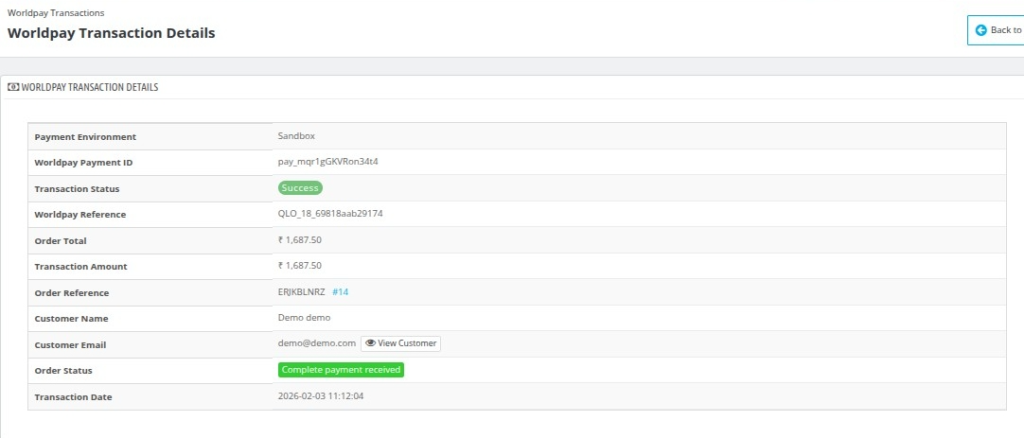
The admin can view the details of each transaction by clicking on the “View” button.


Refunds Process:
The admin can easily process the guest’s refund requests using the refund option.
Follow the mentioned steps to provide a refund for the booking:
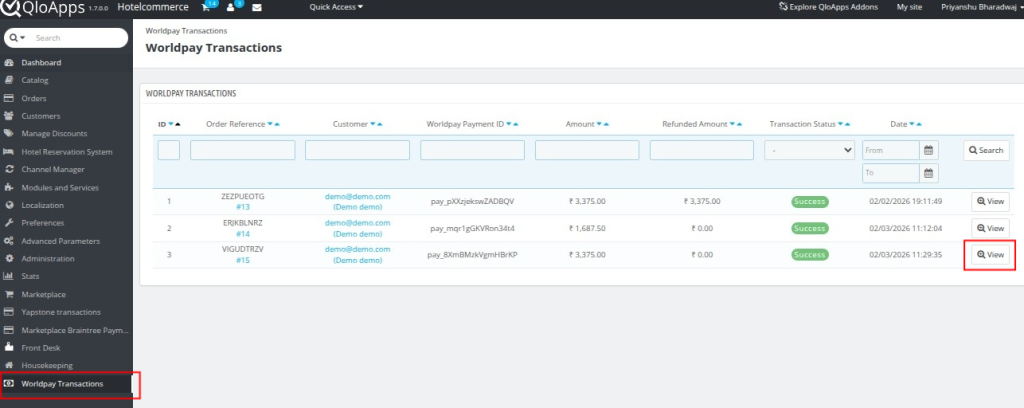
- Go to the Worldpay Transactions tab
- Next, click on the “view” button to proceed with processing the refund for the particular transaction.

- Now, go to the Refund Transactions section.

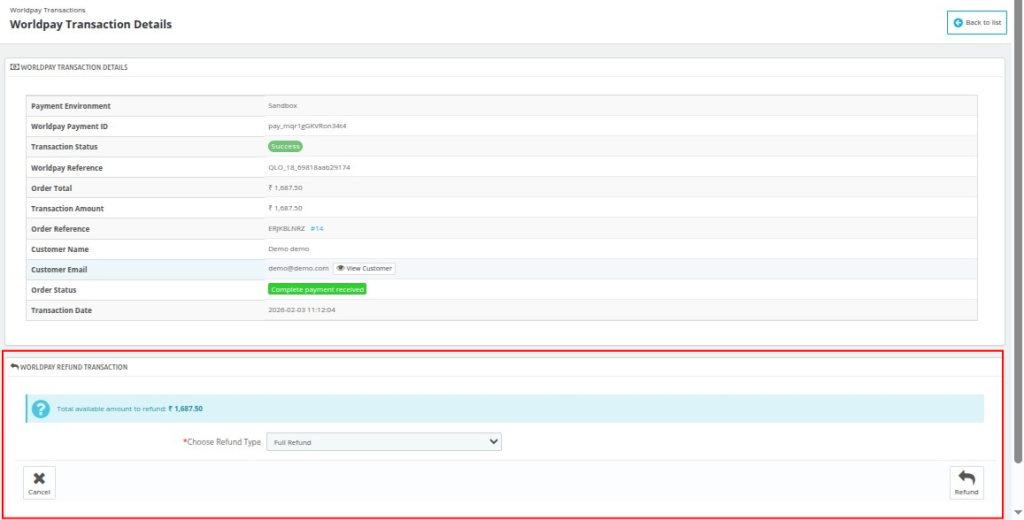
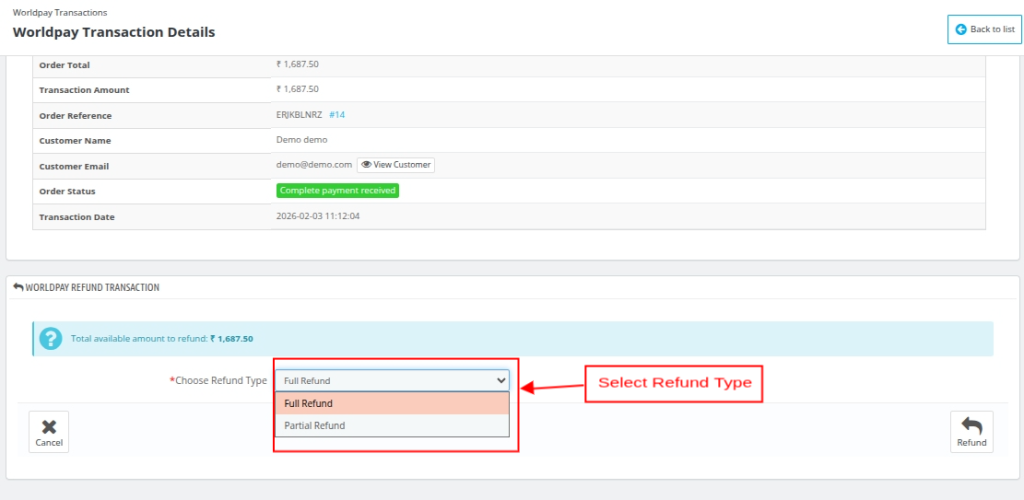
To transfer the refund to your guest, first, choose the Refund Type. There are two refund types available:
- Full Refund
- Partial Refund

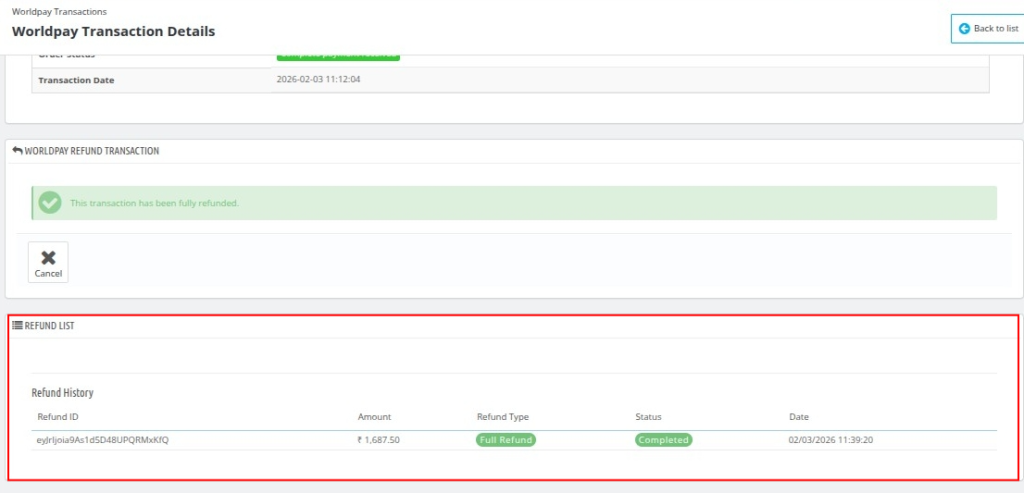
After processing the refund, the admin can view the refund details in the Refund List section.
Wrapping Up
This was all from the QloApps Worldpay Payment Gateway. I hope I was able to clarify the functioning of the module to you.
Get In Touch
If you want to learn about the functionality of QloApps, then you can visit this link: All-In-One Property Management System
In case of any query, issue, or requirement, please feel free to raise it on the QloApps Forum
Current Product Version – 4.0.0, 1.0.0
Supported Framework Version – QloApps1.7.x & 1.6.x