QloApps Prestige Theme
The QloApps Prestige Theme is designed for properties that want a premium and modern website experience. It combines elegant visuals, direct booking functionality, and a clean user interface.
From hero banners and showcases to amenities sections, testimonials, and responsive booking features, every element of the Prestige Theme is crafted to deliver a smooth and engaging guest experience.
Whether you manage a luxury resort, a city hotel, or a boutique property, the QloApps Prestige Theme provides the perfect combination of modern aesthetics and hospitality-focused functionality.
Features of QloApps Prestige Theme
- Modern and elegant website layout
- Improved gallery section for showcasing properties areas and interiors
- Lightweight and user-friendly interface design
- Clean navigation menu with organized website structure
- SEO-friendly and fast-loading website design
Installation of QloApps Prestige Theme
- Login to your QloApps Back Office panel.
- Go to Preferences → Themes.
- You will be redirected to the Themes management page.

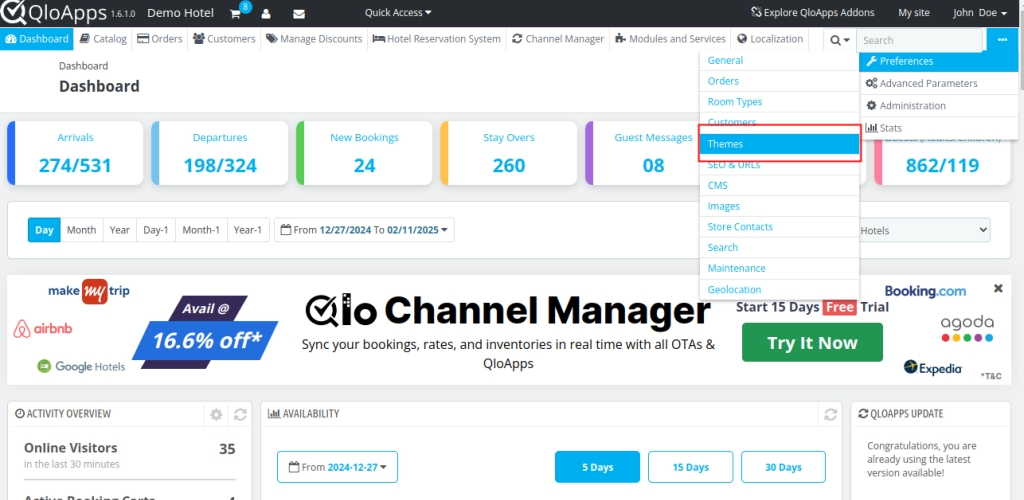
- Click on the Add New Theme button.
- Under Import from your computer, click on Add File.
- Select and upload the QloApps Prestige Theme ZIP file.

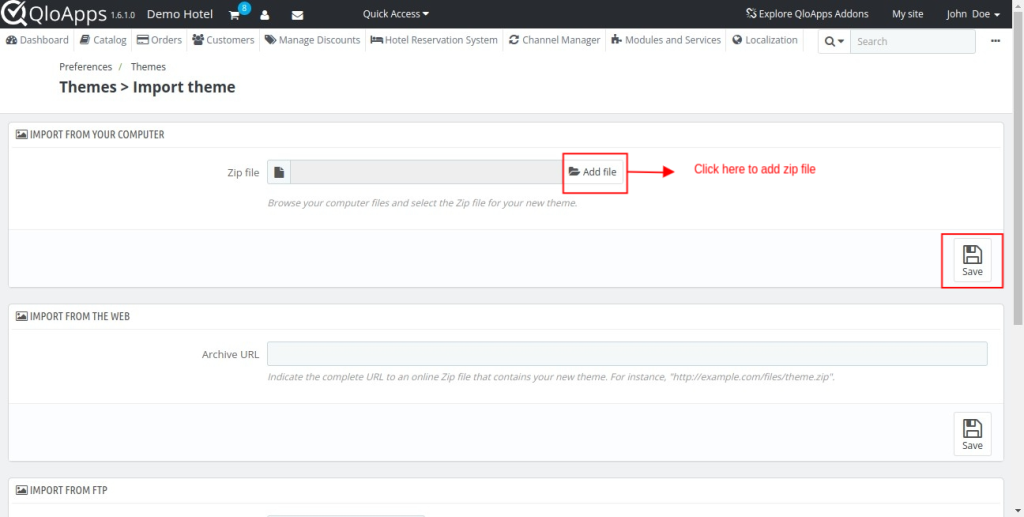
- After uploading the file, click on Save.
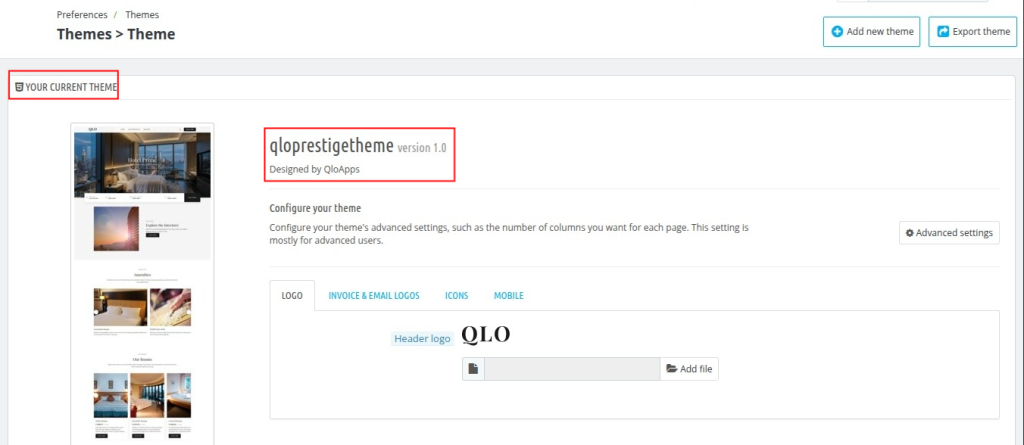
- Once uploaded successfully, the theme will appear in the theme list.
- Click on the theme image or thumbnail to activate and use the theme

Front End of QloApps Prestige Theme
Header and Hero Image
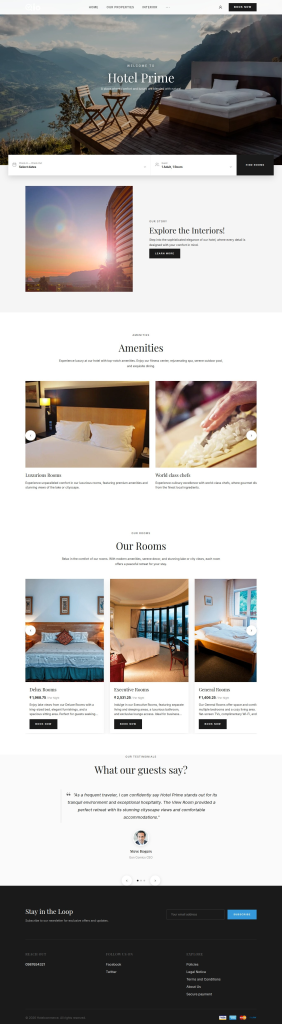
The QloApps Prestige Theme comes with a modern and elegant header section designed to create a premium first impression for hotel guests.
The header includes a clean navigation menu that helps visitors easily access important website sections

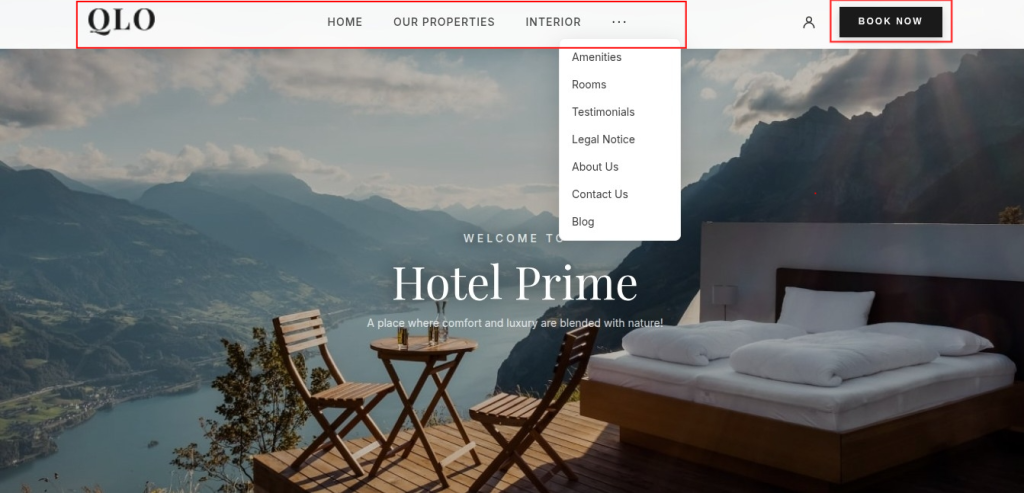
A prominent “Book Now” button is placed in the header to encourage direct reservations and improve booking conversions.
Hotel Search Section
The Theme includes an integrated hotel search section placed directly within the hero banner for quick room booking access.
Guests can easily search room availability using the following options:
- Hotel Location
- Search Location
- Hotel Selection
- Check-In and Check-Out Dates
- Guest and Room Selection
- Find Rooms Button


Showcase Section
The QloApps Prestige Theme includes multiple showcase sections that help hotels present their property in a visually attractive way.
The theme provides dedicated sections for:
- Amenities showcase
- Interior showcase
- Room Showcase
- Guest testimonials
- Property highlights
- Service presentation
These sections use modern layouts, large visuals, and clean design structures to create a premium hospitality browsing experience for guests

Rooms Section
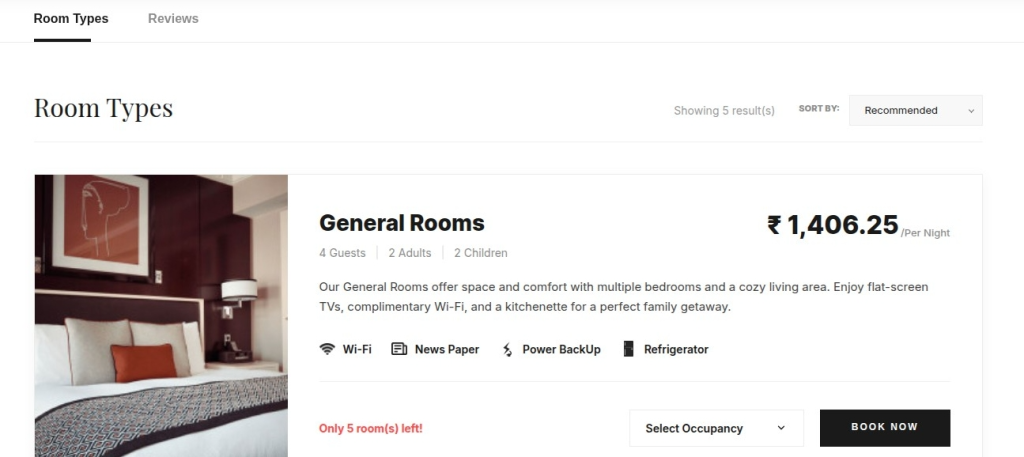
The Room Types section allows guests to explore available accommodations with detailed room information in a modern and organized layout.
The clean room listing interface helps users compare accommodations easily and improves the booking experience.
Guests can also use the “Modify Search” option to quickly update their booking preferences.

Room Detail Page
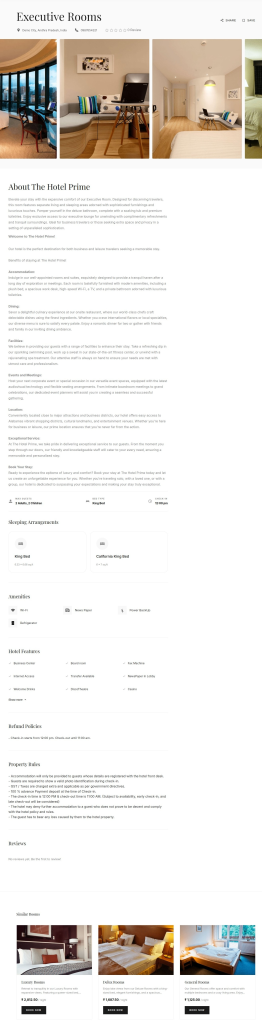
The Room Detail page provides guests with complete information about a selected accommodation in a visually rich and organized layout.
The page also displays similar room recommendations to help guests explore additional accommodation options.

Order/Booking Details Page
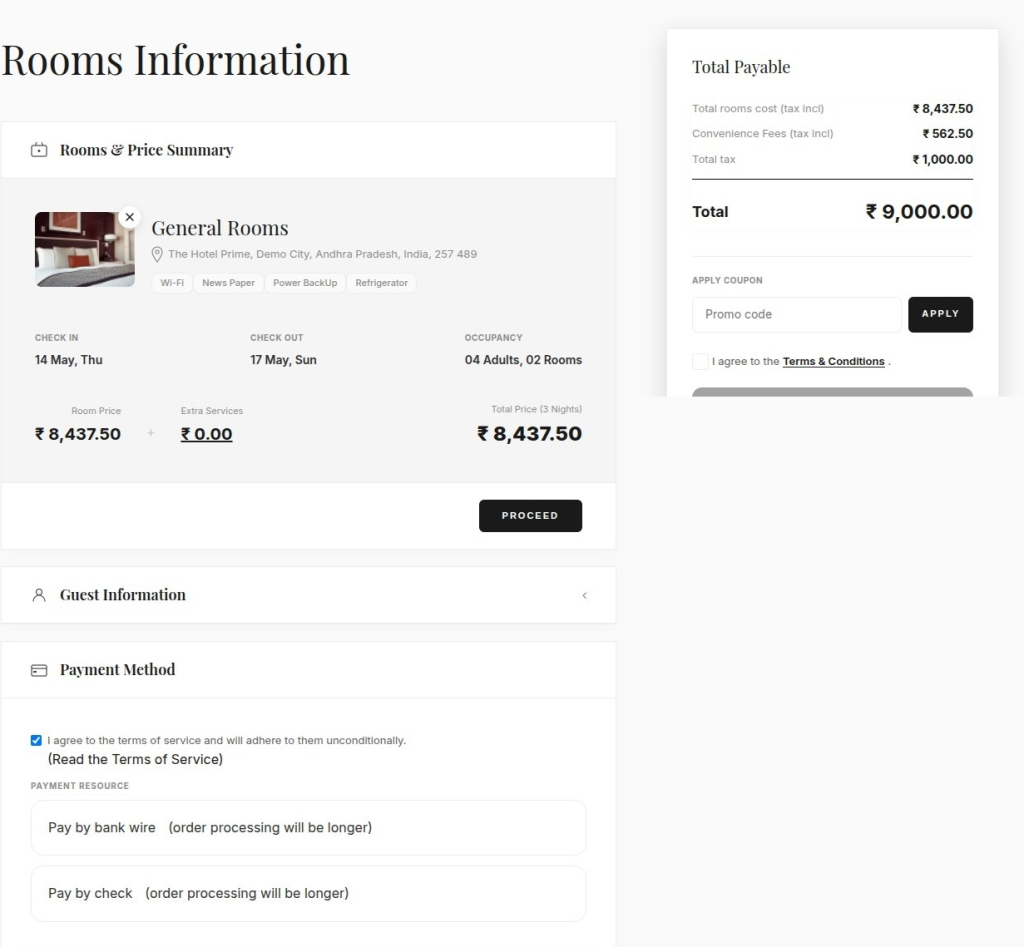
The Booking Details page provides guests with a complete summary of their reservation before confirming the booking.
The page displays important booking information.

Order Summary Page
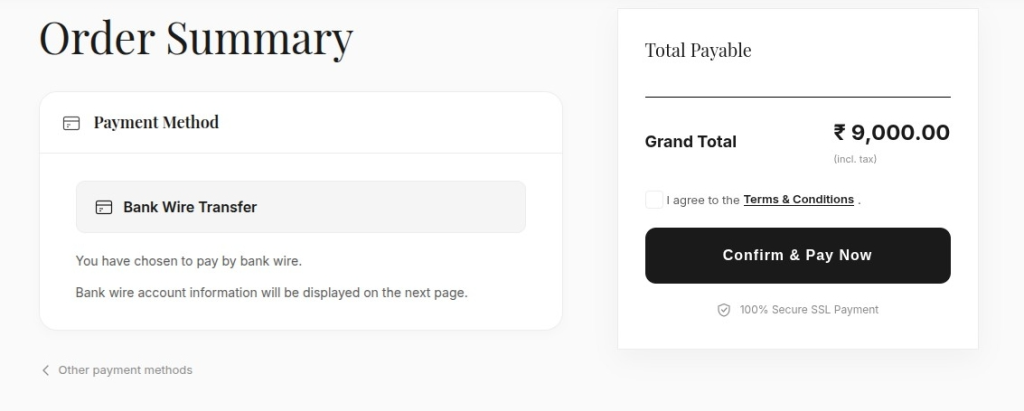
The Order Summary page allows guests to review their final booking details and complete the payment process securely.
Guests can also switch between available payment methods before confirming the booking.
The clean and minimal layout provides a smooth checkout experience and helps users complete reservations easily.

Booking Confirmation Page
The Booking Confirmation page allows guests to view their successfully confirmed reservation details in a clean and organized layout.
Guests can access the “View Your Booking History” section to manage and review previous reservations easily.
My Account Section
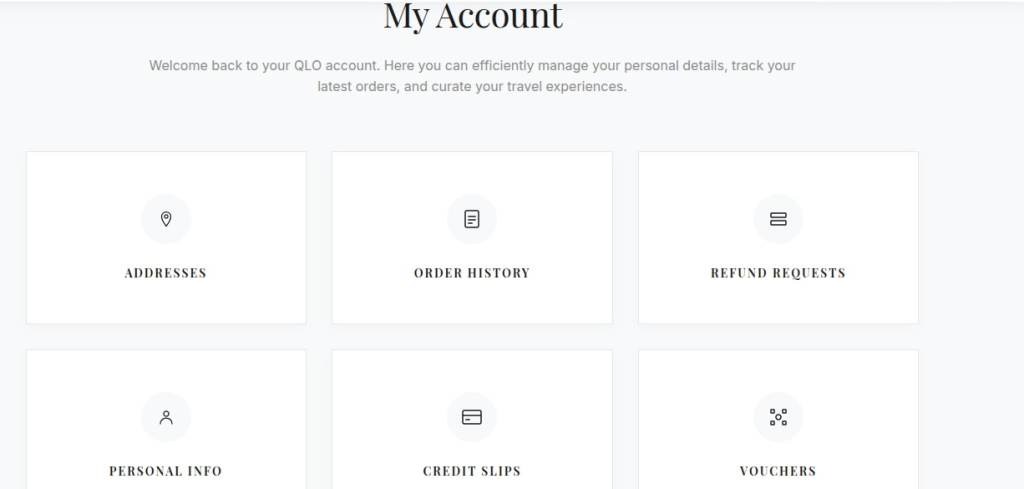
The QloApps Prestige Theme includes a clean and modern “My Account” section that helps guests easily manage their account information and booking activities.
The section uses a user-friendly card-based layout that provides smooth navigation and improves the overall customer experience.

Order History Section
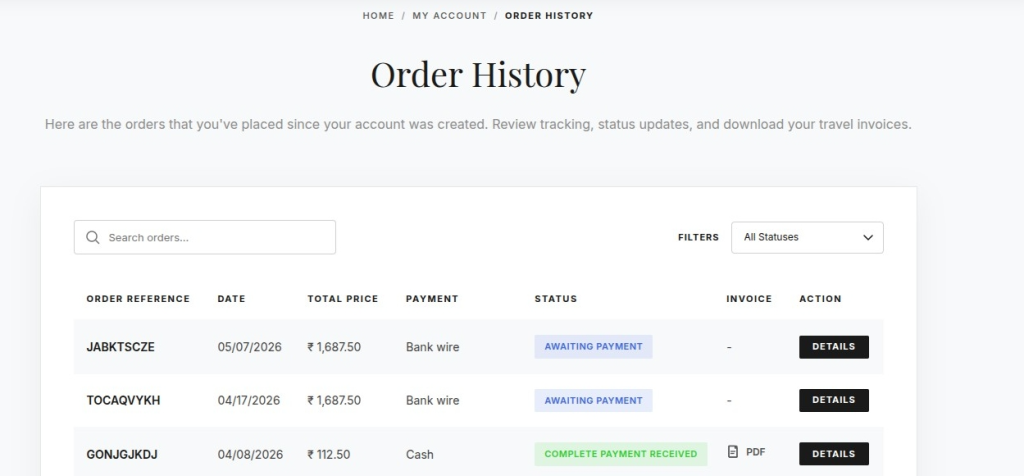
The Order History section allows guests to view and manage their previous bookings in a clean and organized interface.
Guests can:
- View booking records
- Check payment status
- Track order details
- Download invoices
- Search and filter orders
The modern table layout improves accessibility and provides a smooth account management experience for users

Oder/Booking Detail Page
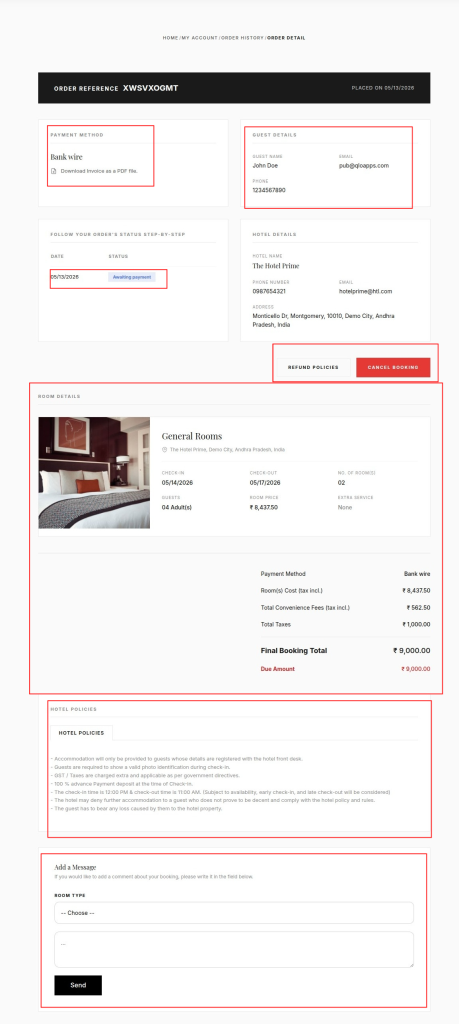
The Booking Detail page provides guests with complete reservation information in a detailed and organized layout.
Guests can easily track booking status, payment details, hotel information, room details, and booking policies from a single page.
- Order Reference Details
- Payment Method Details
- Hotel Details
- Order’s Status Details
- Room Details
- Hotel Policies Details
Guest Message Section: The page also includes an “Add a Message” section where guests can communicate directly regarding their booking.
Note:The Booking Detail page includes dedicated options for booking cancellation and refund policy management.

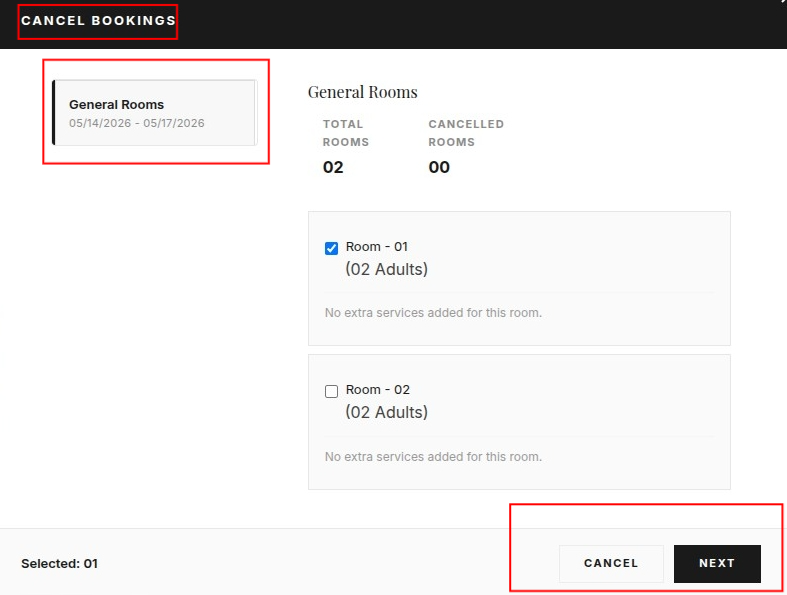
Cancel Bookings Section
The Cancel Bookings section allows guests to manage and cancel reserved rooms directly from their booking details page.

Conclusion
The QloApps Prestige Theme is a modern and elegant website theme designed to deliver a smooth and premium booking experience for guests.
From the homepage and showcase sections to booking management, order tracking, cancellation handling, and room pages, every section is designed with usability and hospitality presentation in mind.
Its clean layout, responsive design, and integrated booking functionality make it suitable for hospitality properties looking to improve their online presence and direct bookings.
With visually rich sections, user-friendly navigation, and seamless QloApps integration, the Prestige Theme helps hospitality businesses create a professional and engaging website experience.
Current Version: 1.0.0
Supported Framework: 1.7.x