
Suppose you run a 24-room guesthouse in Manali. Bookings through your own site are slow, and you honestly can’t tell whether anyone finds you on Google.
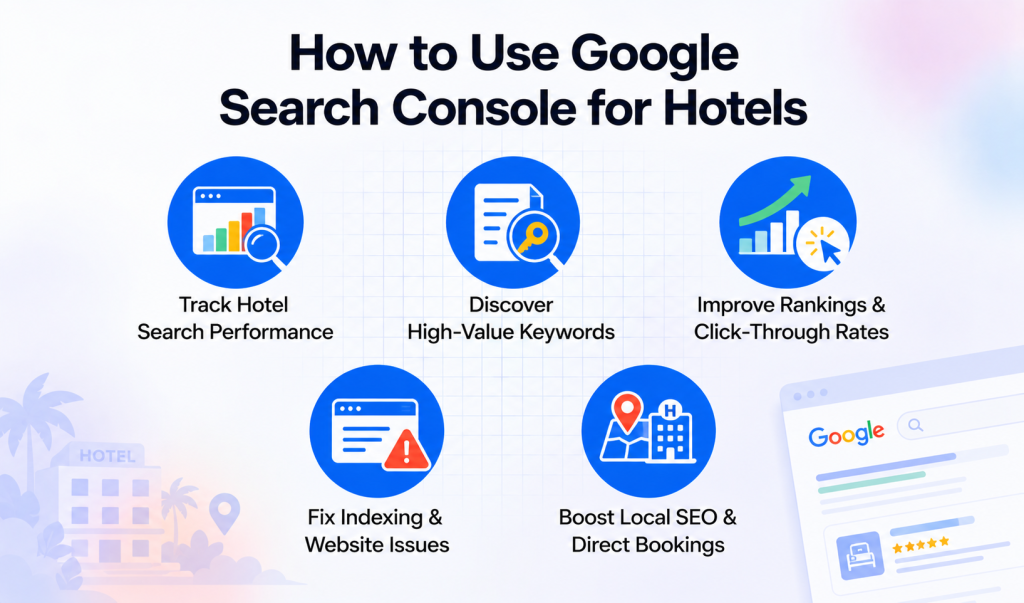
Google Search Console for hotels answers that, and it’s free. It lists the exact searches that showed your pages, how many people clicked, and which pages Google skipped.
Here’s how to set it up and what to check first.
What You’re Actually Looking At
Google Search Console for hotels shows how Google sees your website. It says nothing about what visitors do once they arrive, which is analytics territory.
For that second half, Google Analytics for hotel marketing is the usual partner. Most hotels end up running the two side by side.
Setting Up Google Search Console for Hotels
Go to search.google.com/search-console, sign in, and add your site as a domain property. That single property covers www, non-www and https versions in one go.
Google then wants proof the site is yours. A DNS record is cleanest, though an HTML tag works if your host won’t let you near DNS.
Use a shared hotel email for this, not your personal Gmail. People change jobs, and asking a former employee for access is no sense.
Next, submit a sitemap so Google finds your room pages. The QloApps SEO Optimization add-on builds the sitemap and robots.txt for you.
Data trickles in over a day or two but it won’t backfill old history, so verify the site early.
The Performance Report
In Google Search Console for hotels, open Performance for queries, clicks, impressions, click-through rate and position. Impressions mean Google showed you, and clicks mean somebody cared.
Here’s a pattern worth hunting for: a page with 900 impressions for “boutique hotel near Amer Fort” but only 4 clicks. That page has a title problem, not a ranking problem.
Fix the title and meta description first. Basically mention something a human would click, like a price band or free breakfast.
Then sort the list by position, because pages sitting around 8 to 15 are the cheap wins. A small push can lift them onto page one.
Brand vs Non-Brand Searches
Filter for queries that contain your hotel’s name. Those people already know you, which is nice but isn’t growth.
Everything else is discovery, things like “family hotel in Udaipur with pool”. Tracking this group in Google Search Console for hotels tells you whether your SEO is working at all.
If non-brand clicks stay flat for three months, your pages don’t answer what people ask. A proper FAQ page beats another line about warm hospitality.
Why Isn’t My Room Page Showing Up?
Open Indexing and then the Pages report, where Google lists which URLs it indexed. It also names a reason beside every page it didn’t index.
Paste the missing address into the inspection bar at the top. Google says whether it can crawl the page and what’s in the way.
The usual suspects are a leftover noindex tag, an overeager robots.txt rule, or two pages with nearly identical text. Fix them, click Request Indexing, and give it a few days.
Speed, Phones and Who Links to You
Most guests browse on their phones, so check the Core Web Vitals report in Google Search Console for hotels. It sorts your pages into good, needs improvement and poor, based on real visitor data.
A slow booking page leaks money quietly. Say your site took eight seconds to load, it will lose first impression on the guests.
The Links report is the other one people skip. It shows which sites link to you, and a travel blogger or tourism board on that list is worth a thank-you email.
Local Searches
Plenty of hotel searches are local, so your Business Profile matters nearly as much as your site. The hotel local SEO guide covers that and will help you maintain local SEO.
Google Search Console for hotels shows whether “near me” and landmark searches reach you. If they don’t, add nearby sights and travel times to your location page.
If you’re listed on Google Hotels too, this Google Hotel setup guide covers the channel manager side.
A Five-Minute Weekly Check
Pick one day each week, maybe Monday, and compare the last 28 days with the 28 before. This shows you quickly which pages moved.
Note which pages gained or lost clicks then glance at Pages for new errors and at Sitemaps for problems.
Finish by choosing one thing to change that week, like a title or a missing room description. Small edits every week beat one big redo every January.
Mistakes To Avoid
Chasing every single query wastes your time, so stick to the ones tied to rooms you actually want to sell.
Don’t ignore the emails Google sends you either, because a security issue or manual action can sink bookings fast.
Don’t read too much into one bad day. Weekends, festivals and algorithm updates all wiggle the line, so judge by weeks.
Wrapping Up
Google Search Console for hotels is free, and most properties never open it. That gap is your edge over competitors.
Set up Google Search Console for hotels once, then check it weekly.
For the bigger picture, read how AI search and voice are changing hotel SEO. Then fix just one thing at a time.
Get In Touch
Looking to improve your hotel’s search visibility and attract more direct bookings?
Get in touch with the QloApps team to explore solutions that can help you optimize your hotel website, manage bookings, and strengthen your online presence.
If you have any suggestions, you can share them on the QloApps forum. For any technical assistance, kindly raise a ticket.

Be the first to comment.