
The QloApps Custom Code on Header module allows hoteliers to easily add customized code directly into the header section of their website.
It provides centralised control over styling, scripts, meta information, and header-level configurations across all pages.
Features of the QloApps Custom Code on Header Module
- Customizable HTML/CSS
Supports adding custom CSS, JavaScript, and HTML elements that are valid inside the <head> tag for complete flexibility in design and styling. - Easy to Integrate
The module integrates seamlessly into your existing website with minimal technical expertise required. - Global Scope
The injected custom code is automatically applied across all pages of the website, ensuring consistent behavior and appearance site-wide.
How to Install QloApps Custom Code On Header
Once you have downloaded the QloApps Custom code on Header Module from the store, you can easily install it by following these steps:
- Log in to the back office of QloApps.
- Go to the Modules and Services tab.
- Click on Add a new module.
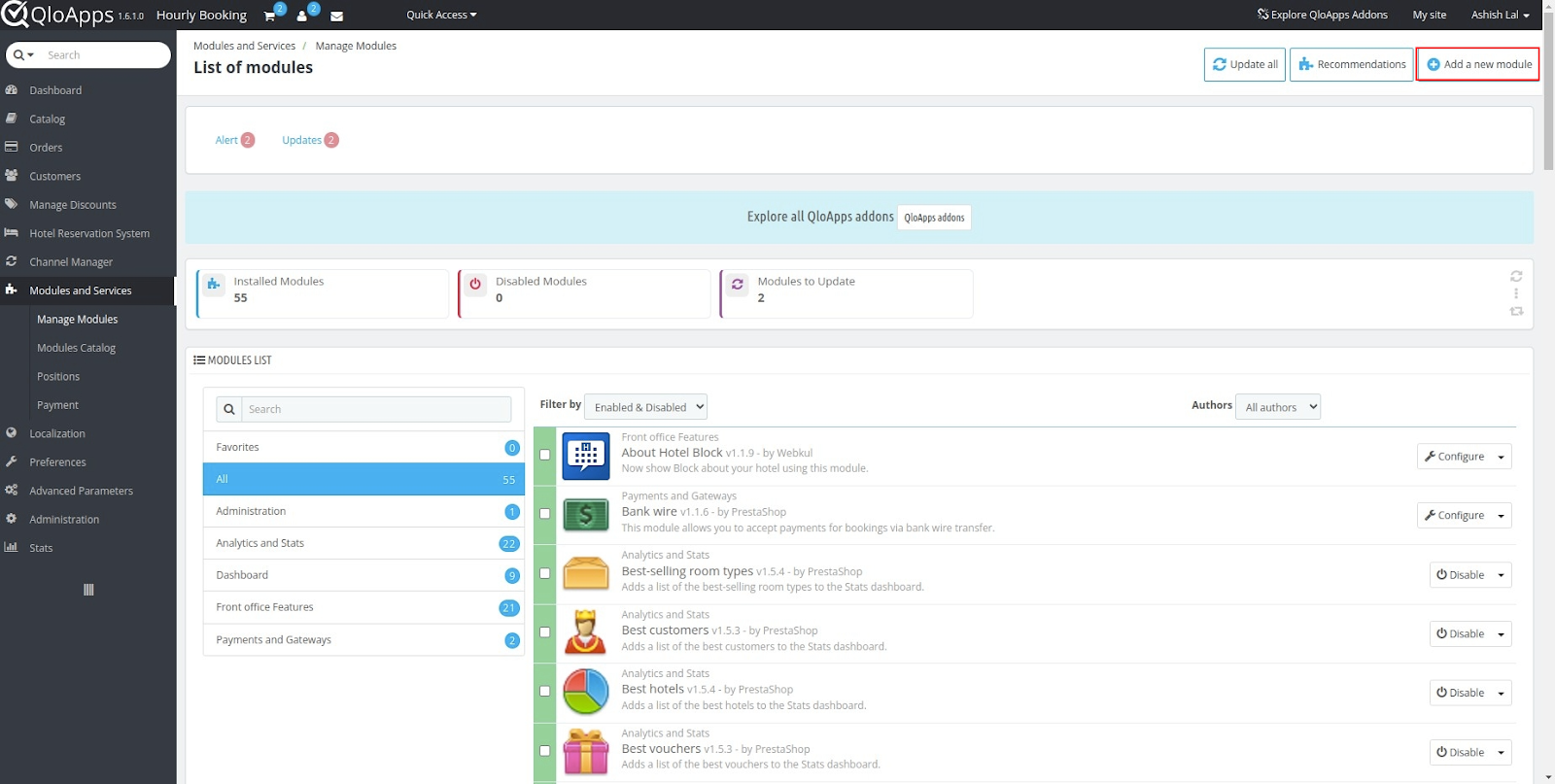
- Upload the ZIP file of the module.
- Click on the “Choose File “ to select the zip file and the “Upload and install this module” option.
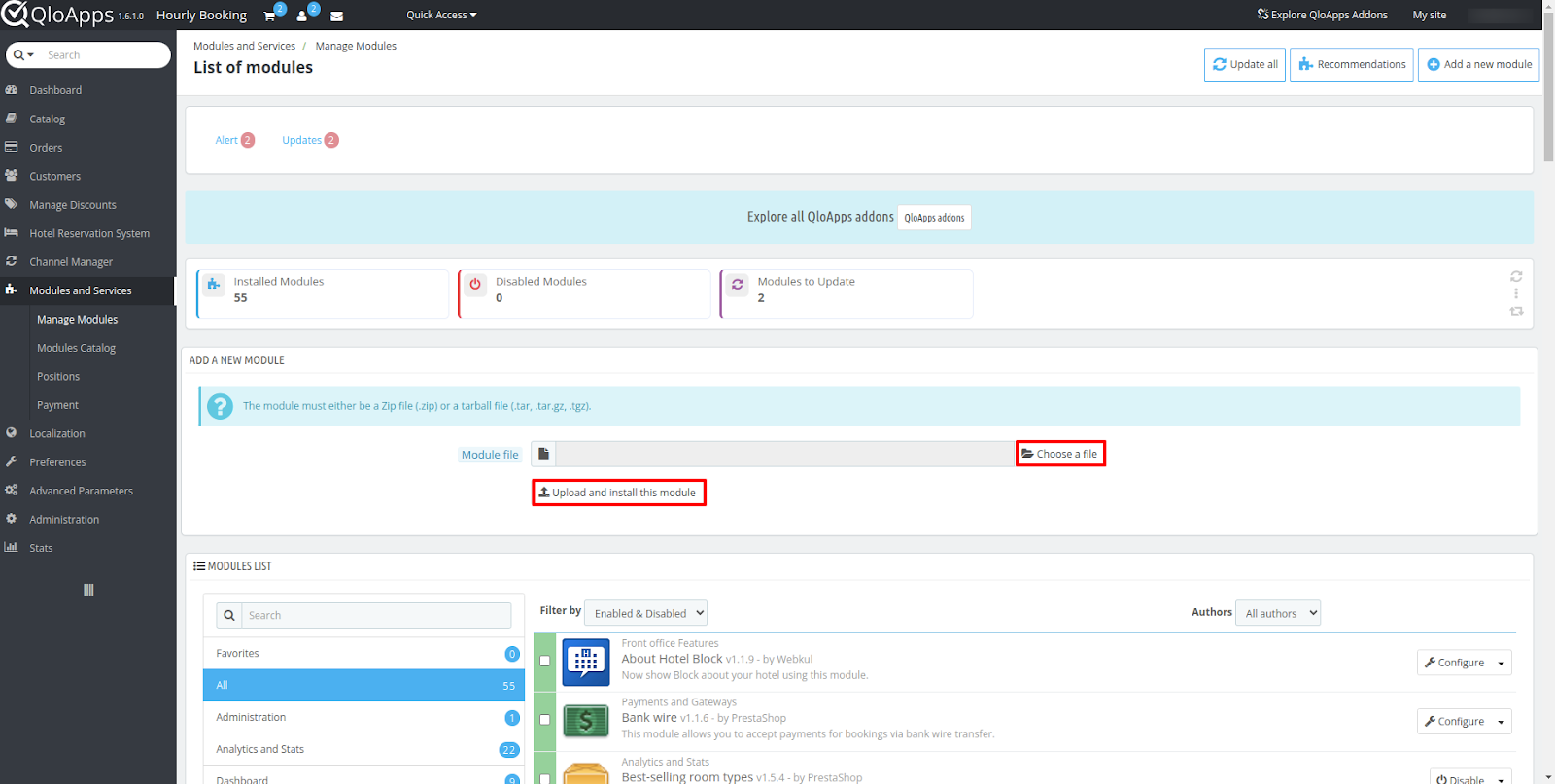
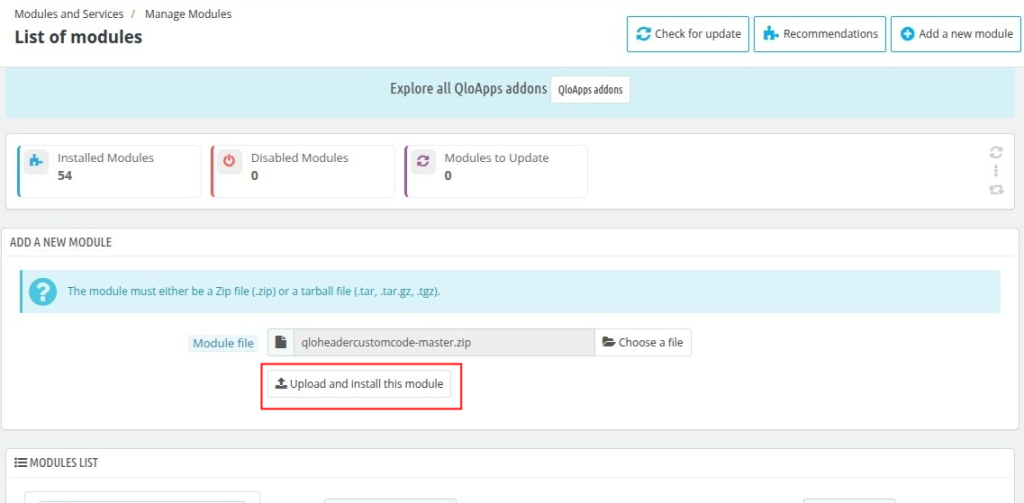
- After uploading the ZIP file the module will start installing automatically.
- Once the module is installed, the user can see the prompt for successful installation and the module will be listed below.
Configuring QloApps Custom Code on Header Module
Once you have installed the QloApps Custom code on Header Module, you can easily configure its settings by following these steps:
- Navigate to the “Modules & Services” tab.
- Select “Manage Module” sub tab.
- Search for “Custom code on header”.
- Click on “Configure” to customize the module settings.
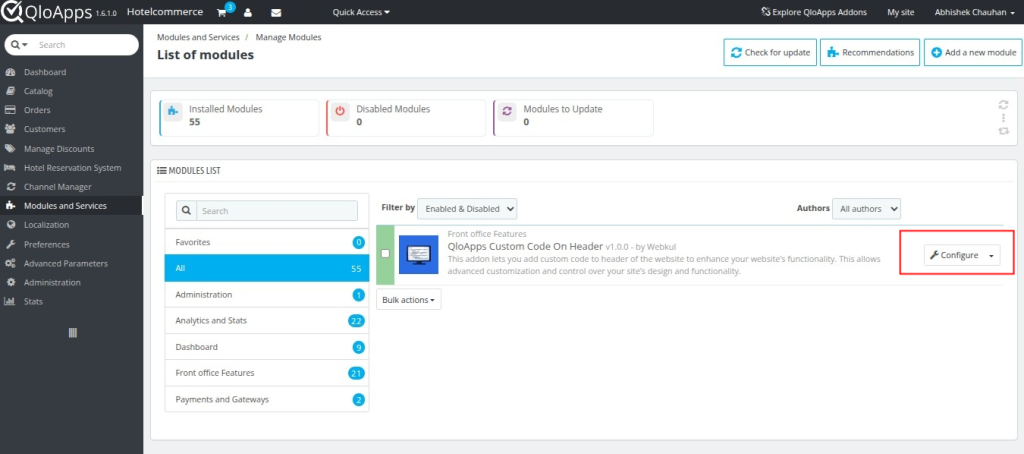
Custom code on Header Configuration Options
The Custom Code on Header field provides you the ability to customise your website’s header section through CSS, JavaScript, or HTML code.
Simply enter your code into this field, and QloApps will automatically add it to your website’s header, allowing you to style your website using CSS and add interactive features with JavaScript
Important Guidelines:
- Only elements that are valid for use inside the HTML <head> tag will be retained
- Only the following tags are allowed within the header:
(<title>, <base>, <link>, <meta>, <style>, <script>, <noscript>)
- Do not include plain text outside of these tags. The system will not save the configuration if you add invalid or unsupported content.
After adding your custom code, click Save to save your code.

Note: Your custom code changes go live immediately upon saving. Review carefully for errors to avoid issues that could impact your website’s appearance or functionality.
Front-End Changes

For example, you can change your hotel name’s background colour by adding CSS in the <style> tag under Custom Code on Header field, and it update instantly across all pages of your website.
In the same way, you can use JavaScript, HTML, meta tags, or the <title> tag to further customise the behaviour, appearance, and configuration of your website header according to your requirements.
Conclusion
The QloApps Custom Code on Header module provides a simple and direct way to inject custom code into your website’s header.
For more information about QloApps, feel free to visit the official website: QloApps.
Should you have any queries, issues, or additional requirements, don’t hesitate to share them on the QloApps Forum.
Current Product Version – V_1.0.2
Supported Framework Version – QloApps 1.6.x and QloApps 1.7.x


Be the first to comment.