
Hotel PMS onboarding is the first step in using a new hotel management system. It helps hotel owners and staff learn how the software works and how it can make daily tasks easier.
During the first week, the team can set up room details, add prices, manage bookings, and learn how to handle guest information.
Some tasks may take time, but there is no need to rush. With proper setup and basic training, staff can feel more confident using the system.
Why Is Hotel PMS Onboarding Important?
Hotel PMS onboarding is important because it helps hotel staff understand the system before they start using it in their daily work.
Staff can learn how to manage room details, check bookings, update prices, and handle guest information.
Choosing the right property management system in the first place makes onboarding smoother, and when the setup is done correctly, the team can save time and complete tasks with less effort.
This makes it easier for the hotel to provide a smooth experience for its guests.
Day 1: Hotel PMS Setup and Configuration
The first day is all about setting up the hotel PMS. The hotel owner or manager can add basic details, such as the hotel name, address, contact information, and other important settings.
It is also a good time to explore the dashboard and understand the main features. A proper setup makes the next steps easier.
If any help is needed, the support team can guide the hotel through the process.
Day 2: Adding Room Types, Rates, and Room Details
On the second day, the focus is on adding room details to the system. The hotel can create room types, add the number of rooms, upload room images, and write short descriptions.
Room prices can also be added based on the hotel’s pricing plan. It is important to check all details before moving forward.
Correct room information helps staff manage availability and gives guests a clear idea of what the hotel offers.
Day 3: Setting Up Bookings and Guest Information
The third day is about learning how to manage bookings and guest details. Staff can explore how to check reservations, view booking dates, and update guest information.
They can also learn how to handle new bookings and check room availability. This step helps the team understand how the system keeps booking details in one place.
It can also reduce confusion when staff need to find information about a guest or reservation.
Day 4: Staff Training and User Access
On the fourth day, hotel staff can start learning how to use the PMS in their daily work. Each team member should understand the features they need for their role.
The manager can also create user accounts and set access permissions where available. For example, reception staff may need access to bookings, while managers may need access to reports and settings.
Basic training helps staff feel more comfortable with the system and reduces mistakes during daily tasks.
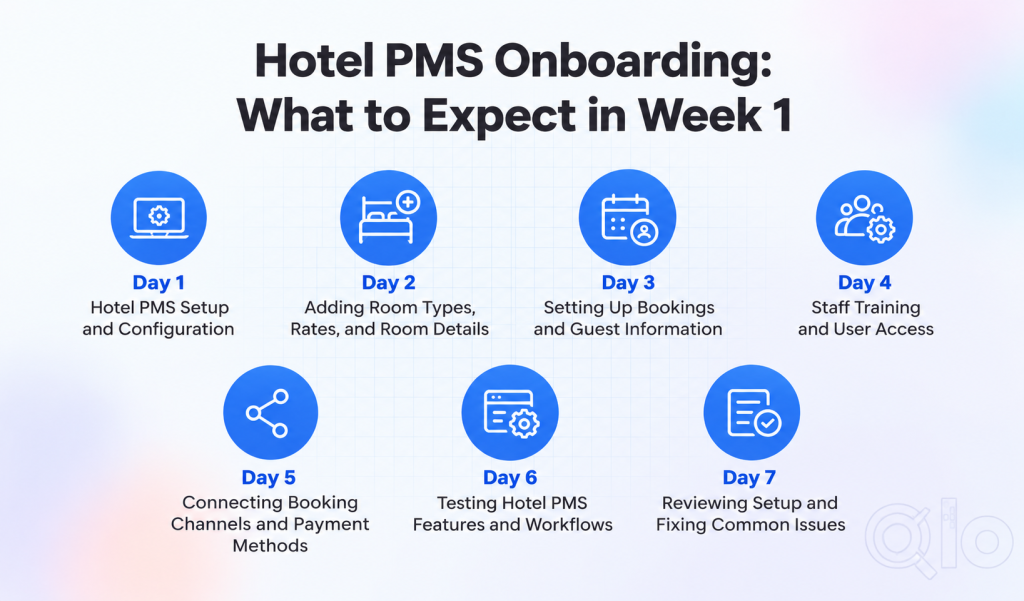
Day 5: Connecting Booking Channels and Payment Methods
The fifth day focuses on connecting booking channels and setting up payment methods.
If the hotel receives reservations from online travel agencies, it can explore how to connect them through a channel manager.
This helps keep room availability and rates updated across connected platforms. The hotel can also configure its supported payment methods and check how payments are recorded.
These steps depend on the hotel’s needs and the integrations supported by its PMS.
Day 6: Testing Hotel PMS Features and Workflows
On the sixth day, it is time to test the main features of the hotel PMS. Staff can create a test booking, check room availability, update guest details, and review payment records.
They can also try the tasks they will handle regularly. Testing helps the team find missing details or settings that need changes.
It is better to fix these issues before using the system for real bookings. This step also gives staff more confidence in their work.
Day 7: Reviewing Setup and Fixing Common Issues
The last day of the first week is a good time to review the full setup. The hotel manager can check room details, prices, booking settings, user access, and connected services.
Staff can share any problems they faced while using the system. If something is not working as expected, the team can review the settings or ask the support team for help.
By the end of the week, the hotel should have a clearer idea of how the PMS works and what still needs attention before regular use.
Common Hotel PMS Onboarding Challenges
Starting with a new hotel PMS can be a little difficult at first. Hotel staff may take time to understand the features and learn how to use them in daily work.
Most common problem is that staff may not be familiar with the new system, and a PMS with a simple, user-friendly design can help them learn faster. These issues are normal during the first few days.
The hotel can handle them by giving staff proper training, checking the setup carefully, and asking the support team for help when needed.
With time and regular use, the team can learn the system and manage daily tasks more easily.
Tips for a Smooth Hotel PMS Implementation
A smooth hotel PMS implementation starts with a clear plan. Before using the system, make sure all hotel details, room types, prices, and booking settings are correct.
Train your staff step by step and give them enough time to learn the features. It is also helpful to test the main functions before using the system for daily bookings.
Keep your old booking records ready if you need to move data from another system. If you face any problems, contact the support team instead of guessing the settings.
Conclusion
The first week of hotel PMS onboarding is all about learning the system and setting it up for daily work.
Some tasks may take time, but a clear plan and proper training can make things easier. Hotel staff should test the main features and fix any issues before using the system fully.
With regular practice, the team can manage bookings, room details, and guest information with less effort.
QloApps helps hotels manage their daily operations through its hotel booking and property management features.
Have suggestions? Join the QloApps Forum and share your thoughts.
Need technical help? Just raised a support ticket – we’re here to help you.

Be the first to comment.