
Running a hotel is not only about filling rooms. You also need to know how much revenue each available room is actually bringing in.
This is where RevPAR becomes really helpful. Hotel owners and managers across the industry use it as one of their go-to hotel performance metrics.
In this guide, we will cover what RevPAR actually is, how to calculate it, why it should matter to you, and some real ways to improve it over time.
What Is RevPAR?
RevPAR means Revenue Per Available Room. Simply put, it tells you how much money your hotel is making from its available rooms during any given period.
It is not just about how many rooms got booked, it also factors in what those rooms were priced at.
When RevPAR goes up, it generally means your rooms are earning better. Hotels big and small track this number to understand where they stand, how they compare, and what needs to change.
A deeper look at ADR, RevPAR, and TRevPAR together shows how these three metrics work as a set to give you the full picture.
What Does RevPAR Measure?
RevPAR looks at revenue earned from all available rooms, not just the ones that were sold.
It pulls together your occupancy rate and your average room price to give one combined performance number.
On the flip side, if your rates are high but half your rooms are sitting empty, RevPAR will reflect that too.
This is exactly why tracking the right hotel revenue reports alongside RevPAR gives you a much clearer view of what is actually happening.
RevPAR Formula
The formula itself is not complicated at all. Take your total room revenue and divide it by the number of available rooms.
You can also get the same number by multiplying your Average Daily Rate by your occupancy rate; both ways land at the same result.
Most hotels run this calculation daily, weekly, and monthly just to stay on top of things. It is a quick way to check whether your pricing decisions are actually working.
If you want to see how it fits alongside other key numbers, this guide to 7 key hotel performance metrics breaks them all down simply.
How to Calculate RevPAR
You really just need two numbers to get started. Take whatever room revenue your hotel earned over a specific period and divide it by the total available rooms for that same period.
Or if it is easier, multiply your ADR by your occupancy rate and you will get the same answer.
Running this regularly, even weekly, helps you spot patterns early and gives you something concrete to act on when revenue starts dipping.
How to Increase RevPAR
- Optimize Room Pricing: Stop using flat pricing that stays the same all year. Adjust your rates based on what demand actually looks like — season, local competition, guest type — and your revenue will follow.
- Improve Occupancy: More guests in more rooms is still the simplest way to push RevPAR up. Better marketing, genuine service, and well-timed offers go a long way toward keeping occupancy healthy.
- Use Dynamic Pricing: Let your rates move with demand. When a local event is coming up or a holiday weekend approaches, your pricing should reflect that — not stay stuck at a baseline rate. Dynamic pricing is built exactly for this kind of flexibility.
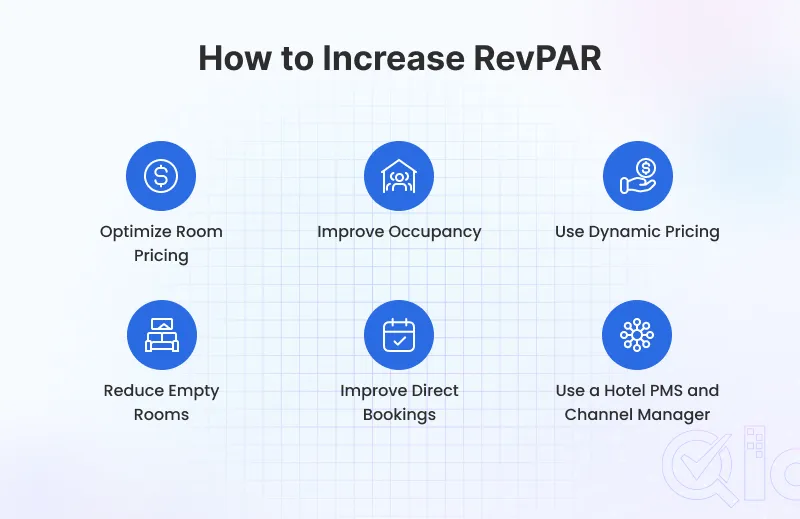
- Reduce Empty Rooms: An unsold room earns nothing. Track availability closely and start promoting those rooms early rather than waiting until the last minute when you have fewer options.
- Improve Direct Bookings: Every booking through your own website saves you commission fees. Make the booking process simple, offer something guests cannot get on third-party platforms, and more of them will book direct.
- Use a Hotel PMS and Channel Manager: These tools take a lot of the manual work off your plate. Rates, inventory, bookings — managed from one place. Less room for error and more time to focus on the actual guest experience.
RevPAR vs ADR vs Occupancy Rate
These three metrics come up together constantly, but they are measuring different things. ADR only tells you the average rate for rooms that actually got sold.
Occupancy Rate tells you what share of your rooms were filled. RevPAR combines both and shows you the revenue picture across all available rooms, sold or not.
That is why RevPAR tends to be the more complete number to work with. But relying on just one of these in isolation will always give you an incomplete view.
Using all three metrics together gives a clearer view of your hotel’s performance. Read our hotel KPIs worth tracking guide to understand how each metric supports better decisions.
Common Mistakes to Avoid When Measuring RevPAR
A lot of hotels look at RevPAR on its own and think that tells the whole story, but it does not. You need ADR and occupancy alongside it, or the picture is incomplete.
Bad data is another common issue. Wrong revenue figures or incorrect room counts will throw off your RevPAR completely and lead you toward the wrong decisions.
Seasonal demand is something many hotels also forget to account for, which makes their numbers look better or worse than they really are.
And not tracking RevPAR regularly is probably the biggest mistake of all. By the time you notice a problem, it has usually been building for a while.
Conclusion
RevPAR is one of those numbers that genuinely tells you something useful about how your hotel is doing. It connects pricing and occupancy in a way that neither metric can do on its own.
Checking it regularly means you catch problems early and make adjustments before they start hurting your bottom line.
Pair it with ADR and occupancy rate, and you have a solid foundation for understanding your hotel’s performance.
Get your pricing right, work on filling more rooms, and use the right tools to manage it all — RevPAR will move in the right direction.
Get In Touch
If you’re ready to elevate your hotel’s operations or have any questions, QloApps is here to assist!
Let’s collaborate to streamline your processes and enhance guest satisfaction.
Discover how QloApps’ Property Management System and Channel Manager solutions can simplify your operations and boost your revenue. Get in touch now!


Be the first to comment.